
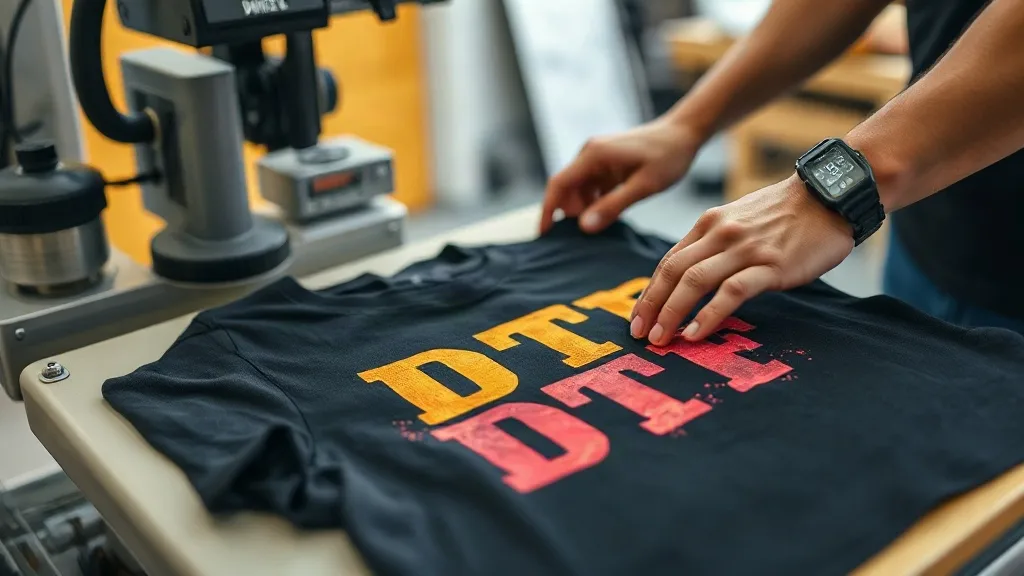
You've dialed in your color profiles, your film is dry, and your powder application is flawless. Yet when you peel the transfer, something goes wrong: the print lifts at the edges, cracks when stretched, or looks washed out. The culprit is often the heat press stage. DTF transfers are forgiving in many ways, but they demand precision when it comes to temperature, pressure, and timing. In this guide, we'll walk through the most frequent press-related problems and how to solve them, so you can stop wasting supplies and start producing consistent, professional results.
Why the Heat Press Is the Make-or-Break Step
DTF printing involves multiple stages: design, printing, powdering, curing, and pressing. Each step has its own variables, but the press is where all your earlier work is tested. Unlike other decoration methods, dtf transfers rely on a thermoplastic adhesive (the powder) that must melt and bond with the fabric fibers under specific conditions. If the temperature is too low, the adhesive won't fully activate; too high, and it can scorch or become brittle. Pressure ensures even contact, and time allows the adhesive to flow and penetrate. Get any of these wrong, and you'll see defects that can't be fixed after the fact.
Many operators blame the transfer itself when a print fails, but often the press settings are the real issue. Before you switch suppliers or tweak your printer, rule out the press. The fixes are usually straightforward once you know what to look for.
Problem 1: Print Peels Off After Washing or Stretching
This is the most common complaint. You press the transfer, it looks great, but after a few washes or a gentle stretch, the edges start to lift. The root cause is insufficient adhesion, which can stem from several press factors.
Temperature Too Low
If the press is running below the recommended temperature (typically 320°F to 340°F for DTF), the powder particles won't fully melt. They need to reach a viscous state to flow into the fabric. Check your press with an infrared thermometer or a heat gun; the display can be off by 10-20 degrees. Also, ensure the platen is fully heated, not just the top element.
Pressure Too Light
Even at the right temperature, inadequate pressure prevents the transfer from making full contact with the fabric. The result is uneven adhesion, often with the center sticking but edges peeling. Adjust the pressure so that the transfer is pressed firmly into the fabric. A good rule of thumb: you should see a slight indentation in the fabric after pressing, but not so much that the print distorts.
Insufficient Time
Pressing time for DTF is usually 10-15 seconds, but thicker fabrics or multiple layers may need a few seconds more. Don't rush. Use a timer and stick to it. If you're pressing a large area, consider a two-step press: a short pre-press to remove moisture, then the main press.
Fabric Type Matters
Some fabrics, like tightly woven synthetics or those with a stain-repellent finish, resist adhesion. For these, a longer press or higher pressure may be needed. Always test on a scrap piece first.
Problem 2: Print Cracks or Feels Stiff
Cracking usually happens when the adhesive has become too brittle. This can be caused by overheating or over-pressing. If the temperature is too high, the powder can degrade and lose flexibility. Similarly, excessive pressure or time can flatten the print, making it stiff and prone to cracking.
Check Your Temperature Settings
Verify that your press is actually reaching the set temperature and not overshooting. Some presses have a temperature swing; use a controller with PID if possible. Also, consider the fabric: dark colors absorb more heat, so you might need to reduce temperature slightly for those.
Cool Down Properly
After pressing, allow the transfer to cool completely before peeling. Peeling while hot can stretch the adhesive and cause cracking later. For cold peel, wait until the transfer is cool to the touch; for hot peel, follow the supplier's instructions precisely.
Problem 3: Dull or Faded Colors
If your prints look washed out after pressing, the issue might be over-pressing. Excessive heat can cause the white ink layer to become translucent or the color pigments to degrade. Additionally, too much pressure can embed the print too deeply into the fabric, reducing vibrancy.
Optimize Your Press Parameters
Use the lowest effective temperature and pressure that achieve good adhesion. For vibrant colors, a slightly lower temperature with a longer press might work better than high heat. Also, ensure your fabric is not pre-shrunk with heat that could affect the print.
Consider Fabric Texture
Rough fabrics can cause the print to sink in, making it look dull. In such cases, a thicker transfer or a higher pressure to flatten the fabric might help, but be careful not to overdo it.
Problem 4: Adhesive Residue on the Press
If you notice a sticky buildup on your press platen or cover sheet, it's likely from the adhesive bleeding through the transfer. This can happen if the pressure is too high or the transfer is pressed for too long, causing the powder to liquefy and seep out. Clean your platen regularly with a dedicated cleaner, and use a cover sheet to protect it. Also, check that your transfers are properly powdered and cured; excess powder can cause residue.
Preventive Maintenance and Best Practices
To avoid press-related issues, establish a routine:
- Calibrate your press temperature regularly with an external thermometer.
- Use a pressure gauge or test with a simple press check (e.g., press a piece of paper and see the indentation).
- Keep your platen clean and use a fresh cover sheet.
- Store transfers in a cool, dry place to prevent moisture absorption, which can affect pressing.
- Keep a log of settings for different fabrics and adjust as needed.
If you're sourcing dtf transfers near me, choose a supplier that provides clear pressing instructions and consistent quality. A reliable transfer will have uniform powder application and proper curing, reducing the burden on your press.
When to Replace Your Press
Sometimes, persistent issues indicate that your press is no longer reliable. Signs include uneven heating (hot spots), inability to maintain pressure, or temperature fluctuations. If you've exhausted troubleshooting, consider upgrading to a press with better temperature control and even pressure distribution. A quality press is an investment that pays off in reduced waste and consistent output.
Frequently Asked Questions
What temperature should I use for DTF transfers?
Most DTF transfers press at 320°F to 340°F (160°C to 170°C) for 10-15 seconds. However, always follow the instructions provided by your transfer supplier, as formulations can vary. Use an infrared thermometer to verify your press's actual temperature.
Why do my DTF prints peel after washing?
Peeling after washing usually indicates insufficient adhesion. Check that your press temperature, pressure, and time are within the recommended range. Also, ensure the fabric is clean and dry before pressing, and allow the transfer to cool completely before peeling (for cold peel).
Can I use a home iron for DTF transfers?
While possible, a home iron is not recommended for DTF transfers because it cannot provide consistent temperature and pressure. The results are often unreliable, leading to poor adhesion and durability. A heat press is essential for professional-quality prints.
How do I prevent my DTF prints from cracking?
Cracking is typically caused by overheating or over-pressing. Reduce the temperature slightly and ensure you're not applying excessive pressure. Also, allow the transfer to cool before stretching or washing the garment.
What is the best way to store DTF transfers?
Store DTF transfers in a cool, dry place away from direct sunlight. Keep them flat to avoid creasing, and use a dust-free container. Humidity can affect the powder, so consider using silica gel packets in storage.